A laptop makes work mobile, but one screen can make every task feel crowded. Powerology SkyFold 14" Dual Display Laptop Monitor - Black brings two extra 14-inch displays to the setup, helping remote workers, students, and frequent travellers create a more capable workspace wherever they can open a laptop.
This portable laptop monitor is built for the moments when a second—or third—view changes the flow of work: comparing documents, keeping a meeting visible while taking notes, following research, or separating communication from the task that needs full attention. It is a practical answer to the limits of a single laptop screen.
With support for extended screen mode and independent screen mode, the SkyFold is not simply extra display area. It gives you choices about how to arrange your day, whether you are settling into a hotel room, studying between classes, or working far from your usual desk.
Build a multi-screen setup beyond the desk
A fixed office setup is easy to organize because monitors already have a place. Remote work is different: the desk may be a shared table, a quiet corner, a client site, or a temporary workspace. The Powerology SkyFold dual display is designed around that reality, attaching to laptops from 11.6 to 18 inches so extra screens can travel with the computer.
That changes what is possible in a compact work session. Put a working document on the laptop, reference material on one side, and messages or a browser on the other. Instead of repeatedly minimizing windows, you can create clear task zones that make a short work block feel more deliberate.
The foldable format also matters after work is done. A foldable kickstand supports the setup behind the laptop, while the ABS+PC construction keeps the focus on portability rather than building a permanent workstation. It is a multi-screen setup away from desk without treating mobility as an afterthought.
Give every task its own screen
More displays are most useful when each one has a purpose. A remote professional might reserve one screen for a video call, use the laptop display for active notes, and keep a project board or inbox on the other. This layout helps preserve context without constant switching.
For students, the arrangement can be equally useful: lecture material on one screen, a writing document in the center, and sources or a study outline beside it. The benefit is not doing more things at once; it is making related information easier to see together when reading, drafting, and checking details.
Independent screen mode provides room for a more tailored arrangement, while extended screen mode supports a continuous desktop across displays. The key is to avoid filling every panel just because it is available. Keep the center for the priority task, dedicate one side to live reference, and use the remaining screen for tools that need occasional attention.
See documents, dashboards, and ideas clearly
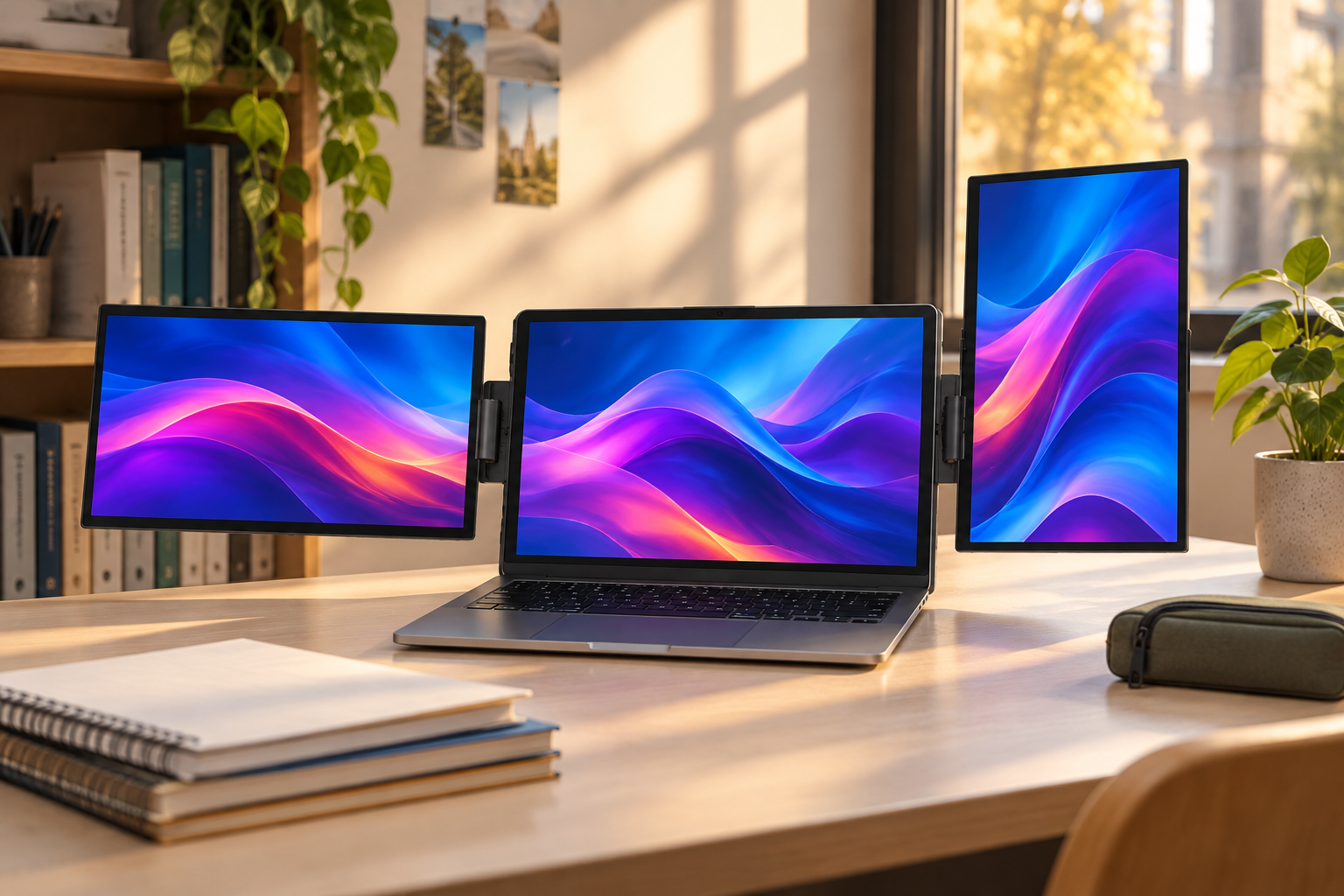
Portable work should not mean compromising on readable space. Each SkyFold display uses an IPS-LCD panel with 1920 x 1200 resolution and a 16:10 aspect ratio. That extra vertical room is especially welcome when reviewing documents, working through spreadsheets, reading long pages, or keeping more of a timeline in view.
The display specification also supports day-to-day visual work. With 300cd/m² brightness, a 1000:1 contrast ratio, and 70% sRGB color coverage, the screens are equipped for clear office content and realistic color in everyday creative references. The 60Hz refresh rate keeps ordinary scrolling and workspace movement comfortable.
Wide 315° viewing angles help when you need to reposition the screens around your workspace. Rather than forcing one rigid layout, the monitor can adapt to the table, the chair, and the job in front of you. A productive travel monitor should make content accessible, not make you work around its position.
Shape the workspace around your workflow
Not every project reads best in the same format. The SkyFold’s monitors offer 90° rotation, allowing the right display to work in landscape or portrait orientation. Landscape is a natural fit for wide dashboards, presentations, browser windows, and side-by-side comparisons.
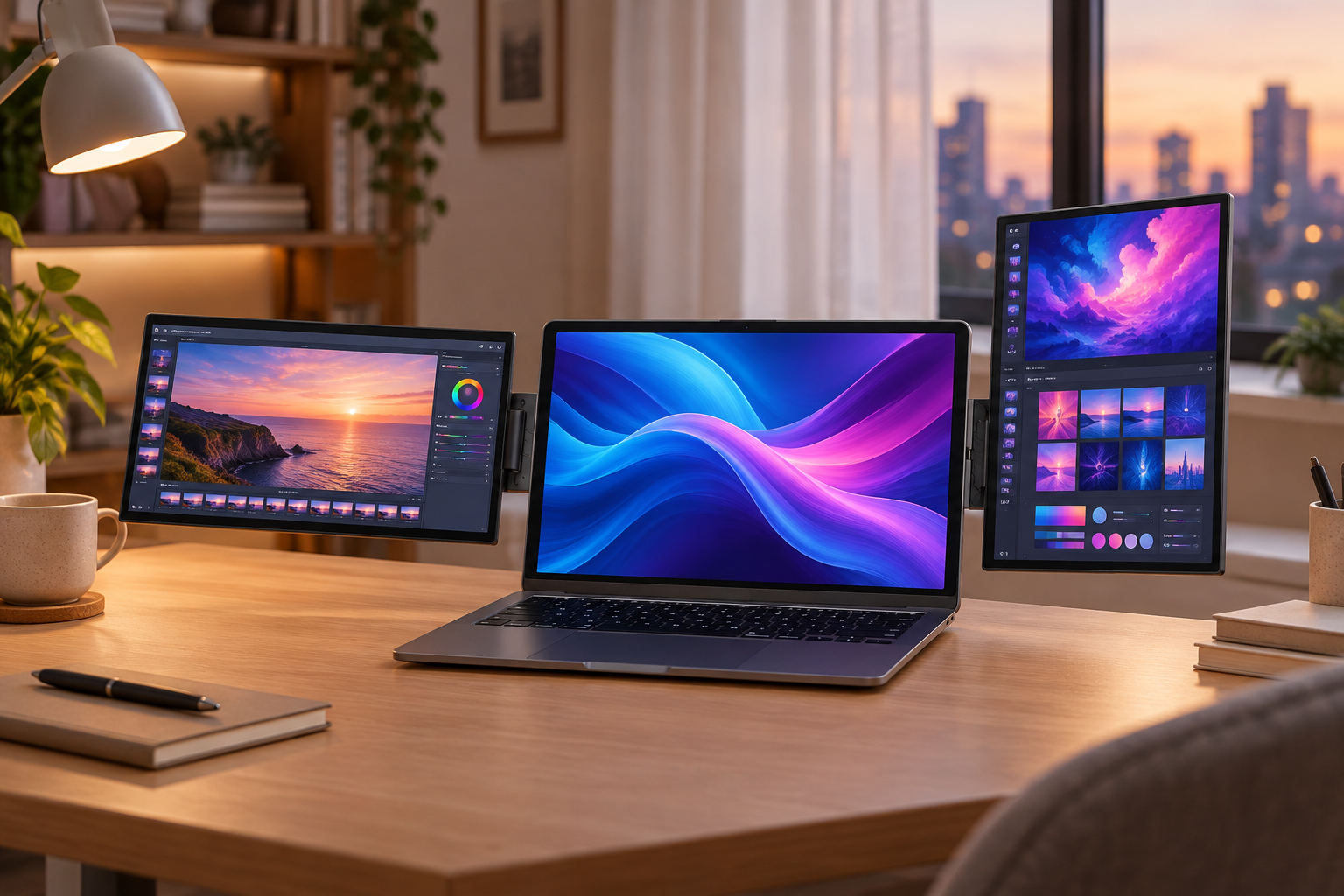
Portrait orientation can be a smart choice for long documents, coding views, chat threads, or reading-heavy research. It gives a vertical stream of information a home of its own, leaving the central laptop screen free for writing, editing, or the main application. That is a small layout change with a big organizational payoff.
Before opening apps, decide what the session requires. Use a repeated layout for recurring work—such as communication on the left, active work in the middle, and reference on the right—to build visual consistency. For a different task, change the arrangement intentionally. Flexibility is most useful when it supports better focus, not more distractions.
Connect confidently in temporary workspaces
A remote work gadget has to connect without turning setup into a project. The Powerology SkyFold offers two Mini HDMI ports, three USB-C ports, a USB-C Thunderbolt port, and a 3.5mm audio jack. This selection gives laptop users multiple ways to plan a compatible connection.
Before leaving home, check the ports on your laptop and confirm which cables or adapters your own device needs. This simple preparation is one of the best travel-work habits: pack the appropriate connections together, test the display arrangement once, and avoid troubleshooting when a meeting or deadline is already underway.
The unit is rated for DC 5V/3A input power and 15W rated power. In a temporary workspace, keep power access in mind alongside your seating and Wi-Fi plan. A few minutes spent choosing a stable, well-powered spot helps the entire portable workstation feel ready for serious work.
Make travel work feel less temporary
Travel often interrupts the routines that support concentration. The goal is not to recreate every part of an office; it is to recreate the parts that help you begin. With a laptop and the SkyFold, a small table can become a defined work zone with separate space for priorities, supporting material, and communication.
Start each session by clearing the immediate surface, positioning the laptop where you can sit comfortably, and opening only the apps needed for the next block of work. The monitor’s built-in dual 1W speakers add everyday audio convenience, while the audio jack gives another option for a personal listening setup.
Use the extra screens to protect attention rather than fragment it. Keep alerts contained to one panel, place the task with the highest cognitive demand on the central screen, and close tabs that do not serve the next step. This is how remote work gadgets become genuinely useful: they support a calmer, more visible workflow.
A smarter screen plan for work, study, and projects
Digital nomads can use the three-screen arrangement to separate schedules, client communication, and deliverables. Professionals working between offices can keep a meeting, working file, and supporting dashboard in view. Students can combine class material, notes, and research without repeatedly losing their place. In every case, the advantage is intentional screen separation.
There are trade-offs to manage. More visible information can create more temptation to multitask, and any shared workspace benefits from thoughtful screen positioning. The best approach is to decide what deserves a display before the session begins, then use the additional space for relevant, active material rather than a permanent wall of notifications.
The Powerology SkyFold 14" Dual Display Laptop Monitor - Black makes a compelling case for carrying more than one view of your work. Its dual 14-inch screens, flexible positioning, broad laptop compatibility, and practical interfaces help turn a laptop into a more complete mobile workspace. When the location changes, your ability to work with clarity does not have to.