A shoot day rarely ends when the camera stops rolling. There are clips to offload, selects to send, revisions to collect and one more location to reach. For creators who need their storage to travel as smoothly as their ideas, the Powerology Vault 512GB Magnetic Portable SSD - Grey brings 512GB of NVMe storage, USB-C Gen 3.2 connectivity and a compact magnetic format into one focused workflow tool. It is built for the moments when waiting on transfers or worrying about an unprotected project can interrupt the work.
Whether you are a photographer clearing cards between sessions, a videographer managing high-resolution footage, or a remote worker moving project folders between devices, on-the-go file storage should feel deliberate rather than improvised. The Vault pairs fast stated transfer performance with a 1.8-inch touch TFT display and password protection, so your portable workspace can be both quick to access and more controlled while you are away from your desk.
This guide looks at where a compact SSD earns its place in a creator kit: from the first offload after a shoot to sharing a working edit, building a sensible backup habit and keeping data available across compatible devices. The goal is not simply to carry more files. It is to create a cleaner, calmer workflow wherever the assignment takes you.
Make the space between capture and delivery productive
Creators often lose time in the gaps: the interval between a location and the studio, the wait before a client review, or the quiet hour in a café before a flight. A portable drive turns those gaps into useful work time. Instead of leaving fresh files on a capture device until you return to base, you can begin organising folders, checking takes and preparing the next step while the project is still current in your mind.
The Powerology Vault Magnetic SSD is designed around that mobile rhythm. Its stated maximum read speed of up to 2000MB/s, write speed of up to 1800MB/s and interface bandwidth of up to 20Gbps give it the headroom creators look for when moving substantial assets. Actual transfer results can vary with the source device, cable, ports and files involved, but the specification is clearly aimed at reducing the friction of large file handling.
For a photographer, that can mean making a dedicated folder for each client, date or location as soon as the files are copied. For a video team, it can mean separating camera originals, proxies, audio and exports before the next setup begins. For remote work, it can mean keeping current assets together rather than hunting through downloads, desktop copies and old email attachments. Good storage structure makes every later task easier.
A useful habit is to name each project consistently, then create simple subfolders before transferring anything: Capture, Audio, Selects, Edit, Exports and Admin can be enough for many jobs. The drive does not replace careful organisation; it gives that organisation a dependable place to happen while you are mobile.
A compact drive that belongs in a creator kit
Storage is only helpful when you actually bring it. Bulky equipment can stay behind on quick jobs, while a compact drive can become part of a regular kit alongside a cable, power bank and card reader. The Vault’s compact and portable design is especially relevant for creators who work across several locations in a day or prefer to keep their essentials contained in a small bag.
Its magnetic attachment is intended to attach directly to compatible devices, helping keep the storage setup close to the device doing the work. That can make an offsite desk feel less scattered: a laptop, a phone or other compatible device, a short connection and a clearly defined place for the active project. Before relying on any magnetic connection, check that your device is compatible and that the work surface supports a stable, sensible setup.
The drive’s aluminum-alloy and tempered-glass construction supports the kind of frequent carrying that mobile workflows demand. Still, durable materials are not a licence to be careless with important work. Keep connectors clear, avoid placing the drive where it can be knocked from a table, and pack it separately from loose items that could mark or press against your equipment.
Small practical choices matter on location. Use a stable surface for transfers, give the copy time to complete, and do not treat a cable connection as a reason to move equipment around mid-transfer. The most effective portable SSD for creators is one supported by equally reliable habits.
Move big creative files without breaking your flow
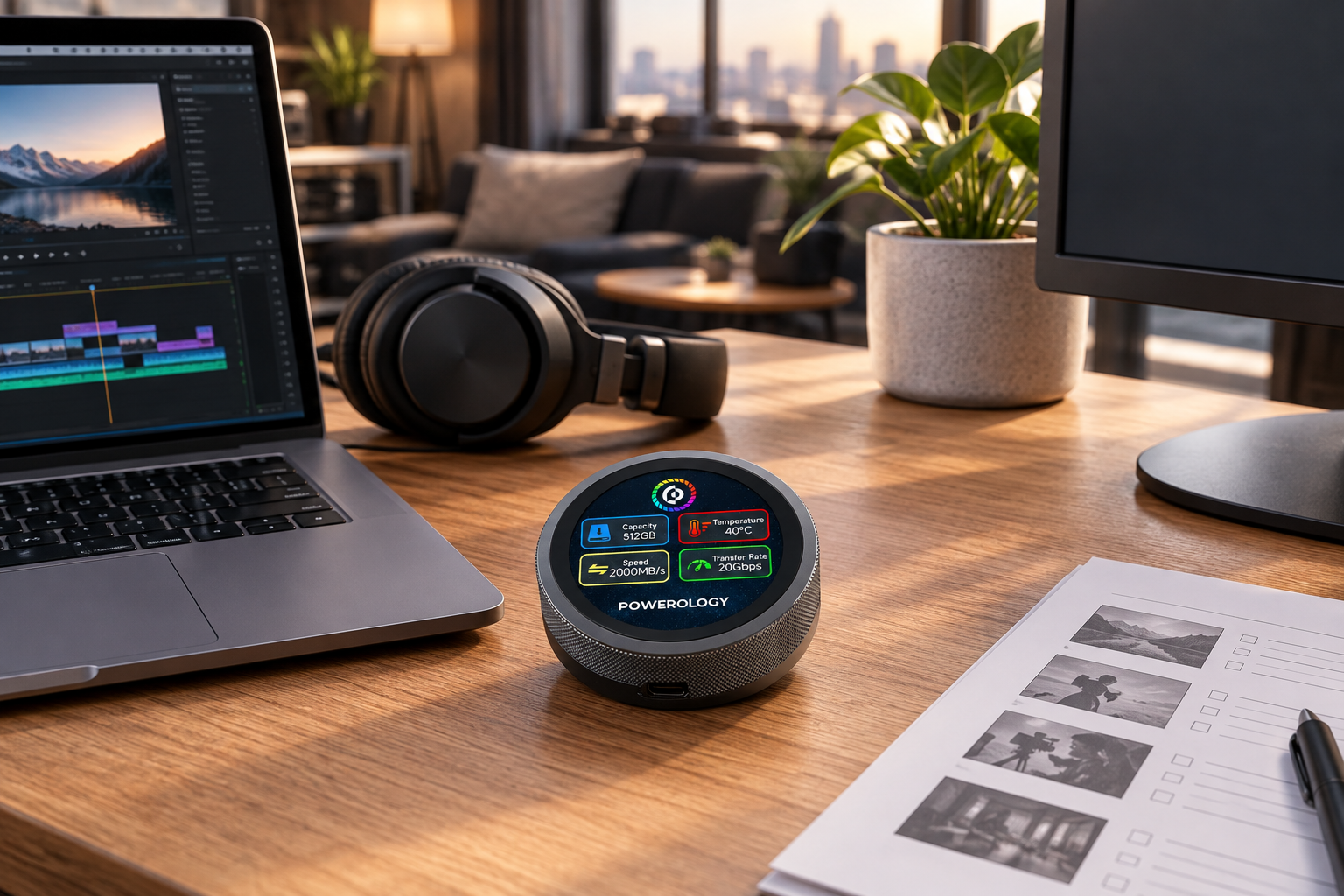
Large files change the meaning of “quick.” A few documents can be moved almost without thought, but raw photo collections, layered design files and video footage demand more intention. When transfer time becomes noticeable, creators may be tempted to skip backups, edit from an inconvenient location or keep only partial project copies. That is exactly where a fast external drive can support a more disciplined process.
With NVMe storage technology and USB-C Gen 3.2, the Vault is specified for high-speed file movement. Start by connecting it directly through the appropriate USB-C connection where possible, then allow the file transfer to finish before opening, editing or deleting the originals. The included 13cm cable is made for quick connections on the move, while the included USB-C to USB-A adapter broadens connection options for devices with USB-A ports.
There is a difference between copying files and confirming that a project is ready. After an offload, open a selection of files from different points in the transfer. Check folder counts where your software allows it. Verify that important clips play and that key documents open. This brief check is far faster than discovering a missing folder when you are ready to edit.
For repeated jobs, turn the process into a checklist: create the project folder, copy the source media, verify the copy, label the source clearly, then decide whether it remains as a second copy. A fast drive supports speed, but verification protects the workflow. Together, they help creators move confidently from capture to review and delivery.
Keep sensitive work more controlled on the road
Creative files can be commercially sensitive long before a campaign launches. Client contact sheets, unreleased footage, proposal decks and working edits may all travel with you. Losing access to a drive is inconvenient; losing control of its contents can be much more serious. That is why security belongs in the same conversation as capacity and speed.
The Vault includes secure password protection, accessible through its touch TFT display. This gives creators a way to keep data protected yet accessible without treating the drive as a passive, anonymous storage object. Set a password you can reliably recall but that is not easy for another person to guess, and avoid writing it on a label kept with the drive.
Good protection also requires a recovery-minded routine. Keep any essential password-management details in a secure place, follow your team’s access policies, and decide who needs access before a project begins. If you work with clients or collaborators, agree on how files will be transferred and when a shared copy should be removed from a portable device.
The display can also bring useful status information into view, including capacity, temperature, speed and transfer rate. Checking these details can encourage better decisions during a busy day: confirm there is room before beginning a major copy, and give your setup a pause if conditions do not feel appropriate for sustained work. Data safety is a habit, not a feature you switch on once.
Build a smarter mobile data backup routine
A portable SSD is not automatically a backup simply because it contains a copy of your files. It becomes part of a sound mobile data backup plan when you know what it holds, when it was last updated and what other copy exists. The key is to define the Vault’s role before the job starts: active working drive, travel copy, transfer drive or one layer in a broader backup approach.
For a one-day photo assignment, a practical routine may be to copy the day’s folders to the SSD at a planned break, verify several files, then retain the source media until another copy is safely made. For a remote worker, it may mean placing current project assets on the drive before travel, then syncing approved updates back to the main work system when you return to a trusted connection.
Do not make premature deletion the price of a tidy card or desktop. Keep originals until you have confirmed your intended copies. Also avoid mixing unrelated projects in a single unnamed folder just because space is available. Clear naming, dates and version labels make recovery easier when a client asks for a previous export or a collaborator needs the right revision.
Capacity matters here. With 512GB, the Vault can serve as a substantial mobile workspace, but every creator’s files grow differently. Review remaining space before a shoot or trip, archive completed work through your normal process, and leave headroom for unexpected captures, revisions and exports. Planned capacity is more useful capacity.
One SSD across compatible creative devices
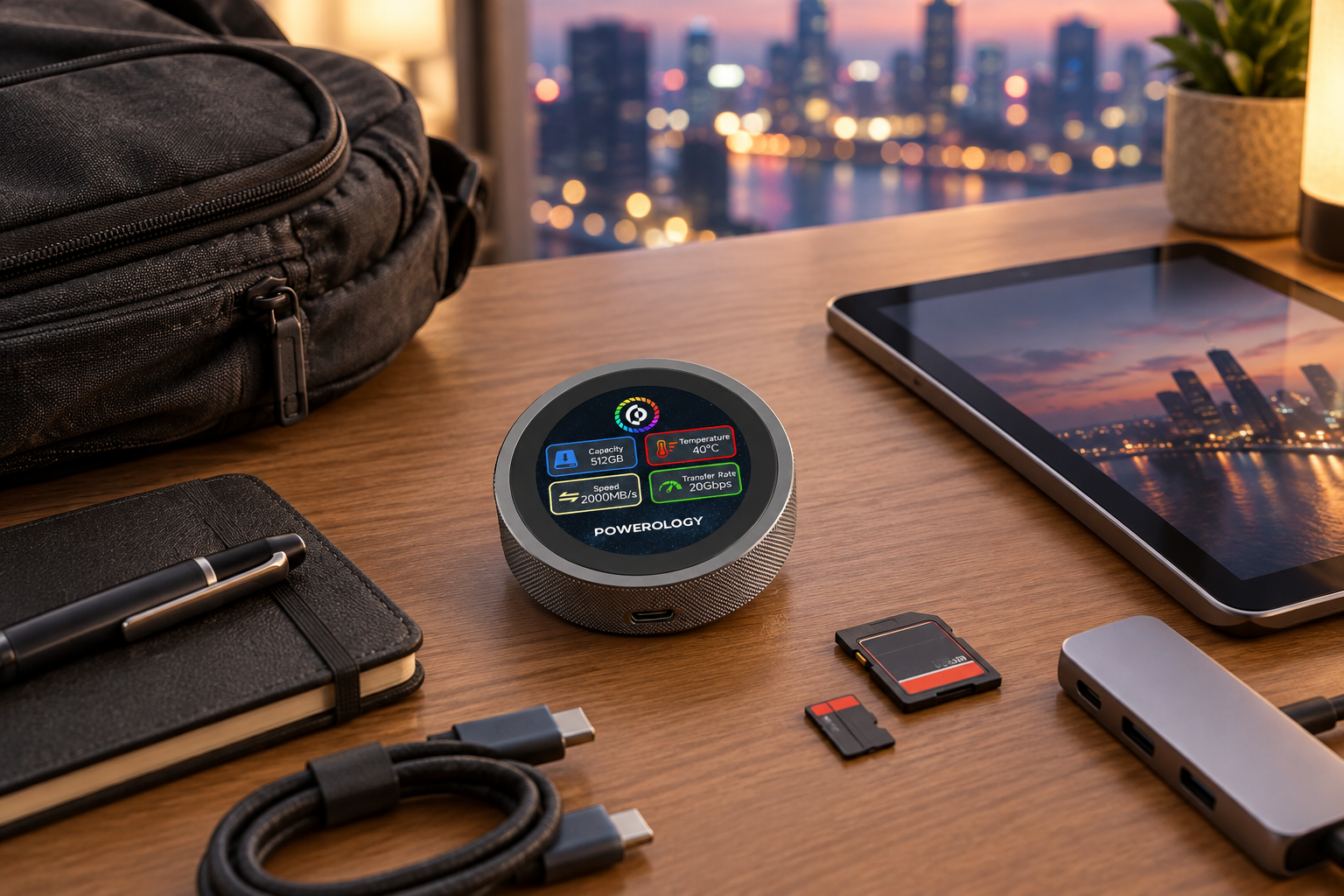
Modern projects rarely stay on one device. A remote worker may start on a Windows computer and review material on a phone. A creator may move between a Mac-based edit station, a mobile capture device and a client’s system. The Vault supports Windows 7–11, macOS 10.15+, Android 9+ and iOS 14+, giving it broad compatibility across many common creator environments.
Compatibility is valuable because it helps reduce needless duplication. Rather than emailing large files to yourself or relying on an uncertain connection to retrieve a project, you can keep an organised working copy close by. Before a critical job, test your intended device-and-cable combination with a non-essential folder. This simple rehearsal confirms that your chosen setup behaves as expected.
For iOS-based creators, the Vault supports external 4K ProRes recording storage. That makes it relevant to workflows where recording capacity and file movement need to be considered together. Check your compatible device settings and available space before recording, and plan how the footage will be labelled and backed up once the session ends.
Broad support does not mean every device behaves identically. File systems, available ports, power behaviour and app workflows can differ. Keep the included adapter accessible, use the appropriate connection for your equipment, and treat a quick pre-job test as standard preparation. Flexible tools work best with prepared workflows.
What photographers and video teams should look for
When people ask for the best SSD for photographers, the answer is not just a capacity number. It is a balance of speed, portability, compatible connections, data protection and a workflow you can repeat. The same applies to video creators, whose media can demand frequent offloads, clear project separation and dependable access away from a main editing desk.
Start with your real working day. Do you need to offload stills between sessions? Bring current client assets to a coworking space? Maintain a travel copy of a campaign? Record compatible 4K ProRes material externally on iOS? The Vault’s combination of fast read and write specifications, compact magnetic design and password-protected access speaks directly to these mobile needs.
Next, think beyond the drive itself. Carry the cable and adapter you are likely to need, label project folders before the job, and know where the next verified copy will live. A drive can speed up the handoff from camera or computer, but it cannot identify which version is final or recover a folder that was never copied. Your system supplies that clarity.
The strongest setup is usually the least complicated one you will actually follow. Choose a predictable folder structure, schedule transfers at natural breaks and make verification non-negotiable. With that foundation, fast portable storage becomes a practical creative advantage rather than another piece of gear to manage.
Turn every offsite stop into a reliable workspace
The value of portable storage is not limited to travel. It matters in studios, client offices, classrooms, shared workspaces and temporary production desks—anywhere your main computer is not the whole office. The Powerology Vault 512GB Magnetic Portable SSD is designed to keep active work close, with 512GB NVMe capacity, USB-C connectivity and a compact form that suits a mobile kit.
Set yourself up for success before you leave: charge the devices you need, clear space on the SSD, bring the included cable and adapter, and create the project folders in advance. On location, transfer at sensible points instead of waiting until you are exhausted at the end of the day. Check your copies, lock down access with the password protection feature and keep the drive with the rest of your essential working equipment.
Most importantly, let the drive support your process rather than replace it. Use it for efficient transfers, protected access and flexible movement between compatible devices; pair it with clear naming, verification and your wider backup plan. That combination gives photographers, videographers and remote professionals more room to focus on the work in front of them.
On-the-go file storage should make an offsite day feel manageable. When your files can move quickly, stay organised and remain more controlled, the next edit, review or delivery is never as far away as your desk.