A long drive feels far more flexible when navigation, communication and work gear do not have to compete for one charging point. Powerology 200W Universal Car Power Inverter - Black turns a vehicle lighter socket into a multi-port charging hub, bringing AC, USB-C, USB-A, DC and lighter-socket options together in a format made to fit a cup holder.
That makes it a useful addition to a road-trip packing list, but it is just as relevant to commuters, passengers and anyone who spends extended time between destinations. Instead of planning around a low battery warning, you can build a more dependable in-car power routine around the devices you genuinely need.
The key is to match the right port and the right expectations to each task. This guide explains what the inverter offers, how to plan a sensible load, and how its LED voltage display, retractable Type-C cable and 9-layer safety system support more confident travel charging.
Why in-car power changes the journey
Road trips create a familiar power problem: several people arrive with several devices, while the car begins with only limited places to connect them. A phone may be navigating, another may be handling music, and a laptop may be needed at the next stop. Powering devices in car is less about adding cables everywhere and more about giving each essential device a considered place.
The Powerology inverter combines a universal AC socket with dedicated charging connections, so you are not forced into a single charging method. This flexibility matters when your packing list includes equipment with different power adapters rather than only USB-powered accessories.
For commuters, the benefit can be continuity. A drive becomes time in which compatible devices can be topped up before a meeting, class or shift. For road trippers, it helps keep the cabin prepared between hotel check-ins, café breaks and scenic detours—without making every stop a search for a wall outlet.
Understand the power limits before you plug in
The most important part of any car inverter guide is understanding that total capacity is shared. This model accepts DC 12V–24V input and provides 220V AC output rated at 150W on 12V or 200W on 24V. The headline 200W capability is therefore associated with a 24V input; a 12V vehicle has a 150W AC limit.
Start by checking the power requirement marked on the device or its adapter, then add up the equipment you expect to run at the same time. Leave headroom instead of planning to sit at the maximum. That simple habit is especially useful when charging needs change during a journey and prevents treating every outlet as an invitation to connect more gear.
The unit also lists a 138W maximum total output across its outputs. In practice, choose your priority devices first, connect only what is needed, and avoid trying to run high-demand equipment that exceeds the applicable rating. Capacity planning is what turns an inverter from a convenient accessory into a reliable travel tool.
Give every passenger a smarter connection
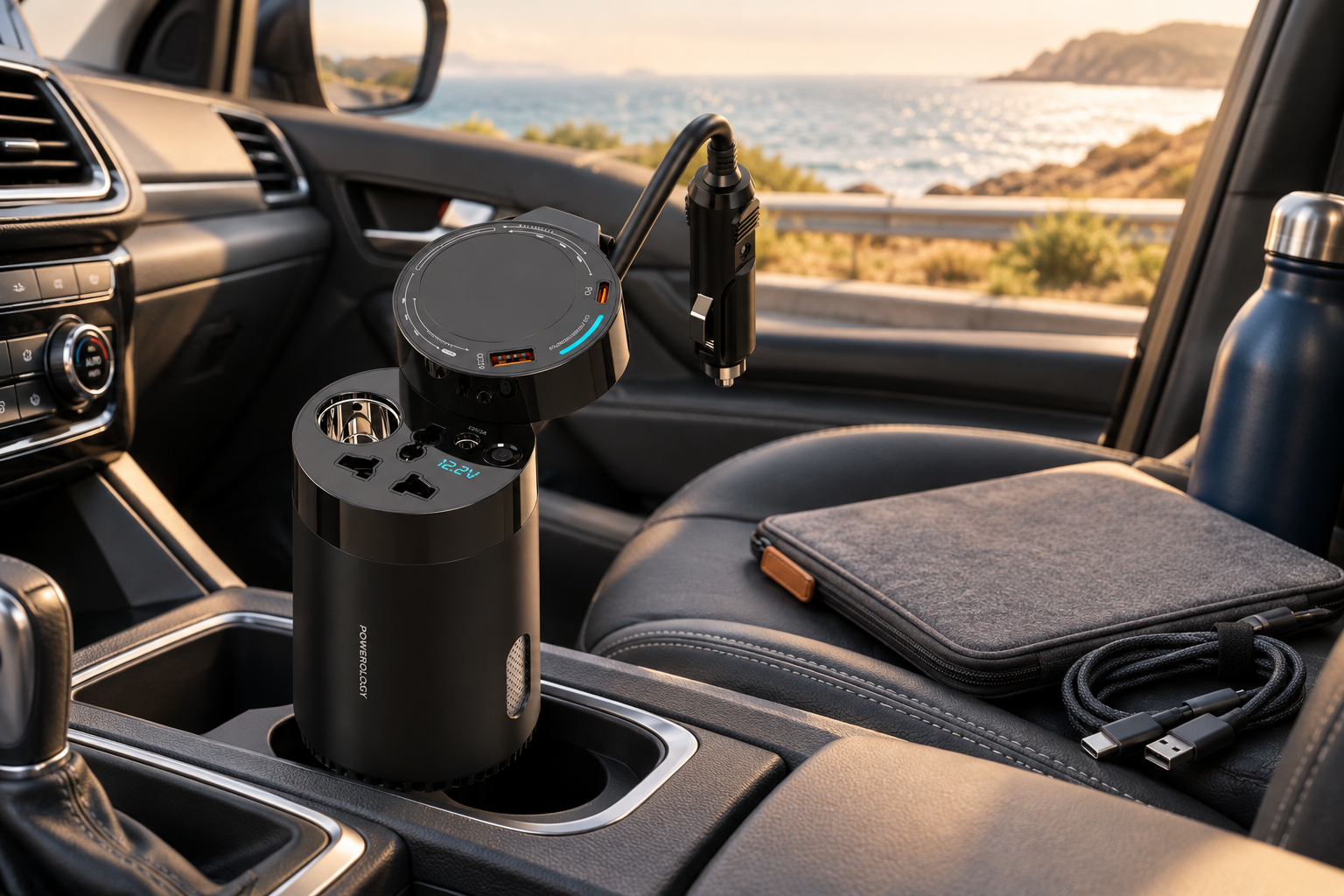
A crowded cabin does not have to mean a crowded charging plan. The inverter offers a USB-C port, a USB-A QC port, a retractable USB-C lead, DC output and AC options, allowing a mix of compatible devices to connect without relying on a chain of adapters. It is a practical answer when phones, tablets and laptop charging needs overlap.
The built-in cable is particularly useful for a device with USB-C charging. With a 60cm retractable cable, it keeps one essential connection ready without permanently leaving a loose lead across the console. Its listed output is up to 45W maximum, while the USB-C port is rated up to 35W maximum and USB-A up to 22.5W maximum.
Fast charging is helpful, but it is not a reason to connect everything at once. Pick the device that needs a quick recovery first—perhaps the navigation phone before the next route change—then rotate lower-priority devices as needed. This approach keeps cables manageable and makes the available power work harder for the whole car.
Use AC power with a clear purpose
The AC capability is what makes this more than a universal car charger. When a compatible device relies on its own AC adapter, the inverter’s 220V AC output gives you an in-car option that ordinary USB charging cannot provide. That can make a laptop easier to keep ready while travelling, provided its adapter stays within the relevant power limit.
Use the AC connection deliberately rather than as a default for every device. If a phone or tablet can charge through the appropriate USB connection, using that direct route may keep the AC outlet available for the item that actually needs it. This is a simple way to organise a mixed-device setup and reduce unnecessary adapter clutter.
Before departure, inspect each adapter’s label and plan which device belongs on which output. Avoid guesswork, damaged leads and overloading. A thoughtful setup lets the universal AC function serve its real purpose: supporting compatible gear that would otherwise be difficult to power during a long drive.
Keep the cabin tidy from mile one
Good road trip essentials should earn their space. The cup-holder fit of the Powerology inverter helps establish a stable, accessible home for the hub instead of leaving it loose among bags and cables. Its fixed vehicle plug connects through the lighter socket, while the central position can make connections easier to reach for the front of the cabin.
Organisation is not only about appearance. A tidy setup makes it easier to see which device is connected, trace a cable when someone needs to unplug, and avoid packing leads around controls or walkways. Reserve the retractable USB-C cable for the device that benefits from it, then bring only the additional leads your group truly requires.
Make a short pre-drive check part of your routine: confirm the vehicle connection, choose priority devices, route cables sensibly and secure loose equipment before moving off. That few-minute reset can prevent the usual mid-journey tangle and keeps charging from becoming a distraction when attention belongs on the road.
Monitor power instead of guessing
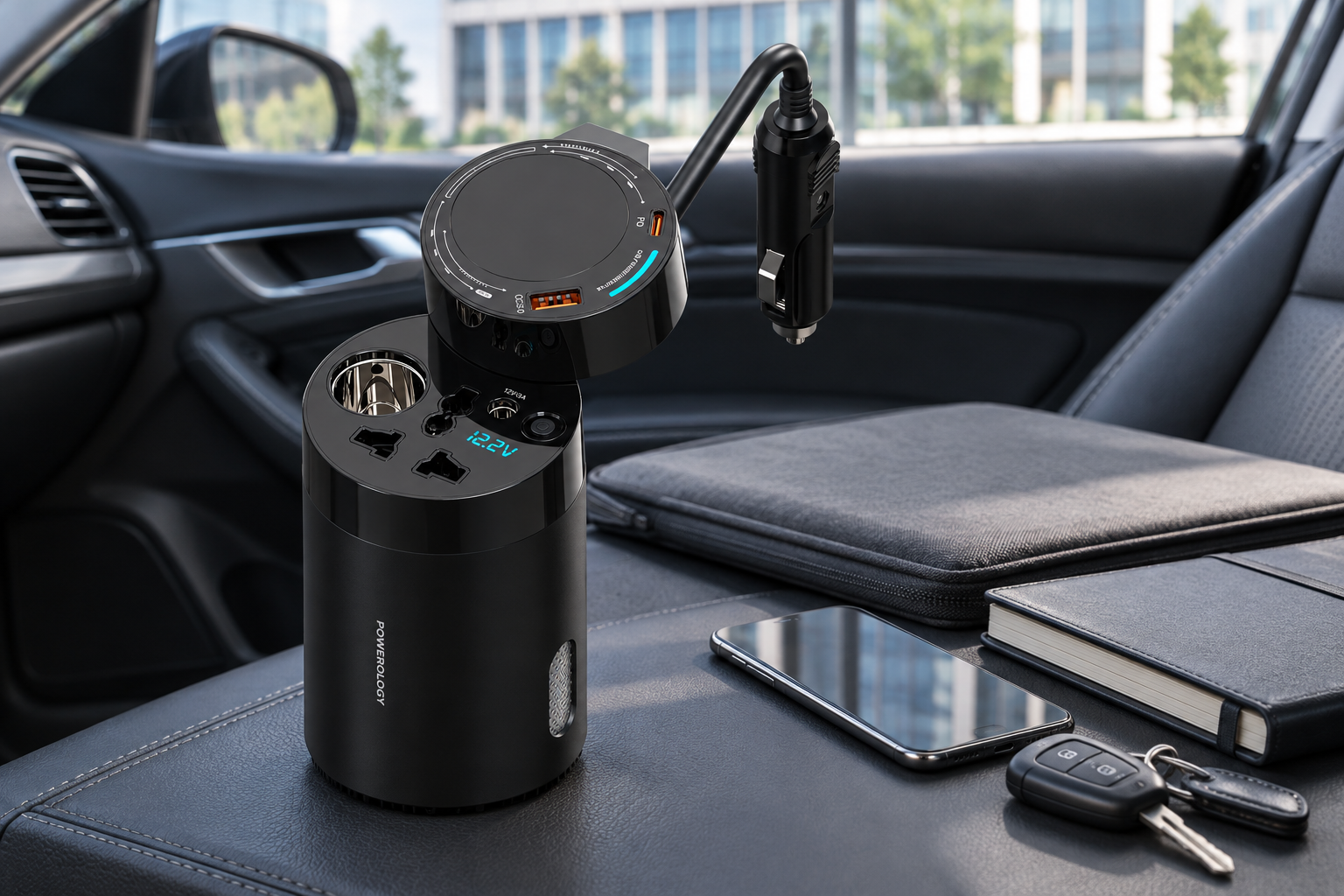
One of the most useful features for extended travel is the cyan LED voltage display. Rather than treating vehicle power as invisible, it gives you a visible reference while the hub is connected. That extra awareness helps you make more measured choices about when to charge and when to reduce the number of connected devices.
The inverter also incorporates a 9-layer safety system. Safety features are strongest when paired with good habits: stay within listed limits, use sound cables and adapters, keep connections clear, and do not assume that a protected product makes an unsuitable load appropriate. Responsible use begins with reading the device requirements.
Check the display periodically rather than staring at it. A glance when you connect a new device, after a charging session or before setting off again is enough to keep the setup intentional. For drivers, this is a passenger task or a parked-car task; convenience should never take focus away from driving.
Build a productive stop-to-stop routine
Productivity on the road is usually about readiness, not trying to turn a moving car into a full office. The practical goal is to arrive with a charged phone, a laptop that is ready for the next task, and essential accessories prepared for the day. The Powerology hub supports that rhythm through multiple charging formats in one location.
Try assigning charging windows. Use the earlier part of a drive to recover the most essential device, then switch to another once it has enough power for the next stage. At planned stops, reassess what is needed before continuing. This prevents lower-priority devices from quietly using capacity that a navigation or work device may need later.
For families or teams, communicate the plan before cables appear. Decide which device is route-critical, which passenger needs a charge first and whether an AC-powered item is actually necessary. Small decisions like these make shared charging feel calmer, fairer and far more useful over a full day of travel.
Make dependable power part of your packing list
The best travel setup is not the one with the most accessories; it is the one that solves the right problems with the least friction. Add the Powerology 200W Universal Car Power Inverter to your road trip essentials when you need a central solution for compatible USB, DC and AC charging rather than a collection of separate chargers.
Pack the correct device cables, review adapter ratings before leaving and keep your expected load within the inverter’s stated limits. Remember the distinction between 150W AC output at 12V and 200W AC output at 24V, and allow room beneath those limits instead of testing the edge of capacity.
With a cup-holder-friendly format, a built-in retractable cable, fast-charging USB options and visible voltage information, this power hub makes it easier to stay prepared from departure to destination. Plan the load, keep the cabin organised and let your journey be defined by the places you reach—not by the next battery warning.