Summer trips move quickly: a market opens onto a sunlit lane, a friend rounds a coastal bend, or a train pulls away before you have time to reset your shot. Powerology Lenso Pocket-Sized Gimbal Camera - Black is built for these in-between moments, pairing a pocket-sized travel camera format with a motorized single-axis camera head so your footage can look calmer while you keep moving.
Its advantage is not simply that it records video. The Lenso gives you a way to preview framing on a 1.72-inch IPS touchscreen, use 4K video at 30FPS, and let its 330° rotation with face tracking help keep a person in view. For holiday recaps, short vlogs, and casual creator clips, that can mean fewer unusable takes and more footage that feels intentional.
The best results still begin with simple technique. Think of this camera as a compact storytelling tool: move with purpose, give each scene a clear subject, and use the stabilizer to support a steady visual rhythm rather than trying to rescue rushed shooting. Here is how to make that approach work on your next summer journey.
Why smoother footage changes the way a trip feels
Travel video is often captured while walking, turning, stepping off curbs, or following someone through a busy place. Those movements make a scene feel alive, but they can also make a viewer feel as if they are being pulled around. A smart video stabilizer approach helps reduce that visual distraction, allowing the location, the people, and the moment to take priority.
The Lenso uses a single-axis rotating head, so it is especially useful when your shot needs controlled rotation and steadier subject framing as you move. Rather than whipping the camera from one landmark to another, make one gradual pan or follow one person for several seconds. This gives the camera time to create a more composed result and gives your edit a cleaner start and finish.
Do not confuse smooth footage with motionless footage. A slow walk along a promenade, a gentle reveal from a café table to the street, or a measured turn toward a sunset can all feel dynamic. The key is deliberate movement: soften your pace, avoid sudden direction changes, and leave a brief pause before and after each move. Those pauses are often the clips you will be grateful to have when editing.
Set up before the day gets busy
A little preparation prevents a great summer scene from becoming a missed shot. Charge the Lenso through USB-C before leaving, then confirm you have a compatible TF card installed if you plan to record extensively. The camera supports cards up to 256GB, but the card is sold separately, so it is worth sorting out storage before the trip rather than at the beach or airport.
Use the touchscreen to take a moment with your settings in a calm place. The screen makes it easier to preview the frame and switch options without guessing. If you want the highest listed video resolution, choose 4K at 30FPS; if your plan includes quicker action and you prefer a listed Full HD option, FHD at 60FPS is available. Pick one approach for a sequence so your clips feel consistent together.
The stated 2400mAh battery offers up to 190 minutes of working time, with a listed charging time of 220 minutes. Real travel days are unpredictable, so treat that runtime as a reason to shoot thoughtfully, not continuously. Capture short, purposeful clips, use the available power-off timer when it suits your day, and recharge whenever you have a convenient break.
Use face tracking to keep people at the center
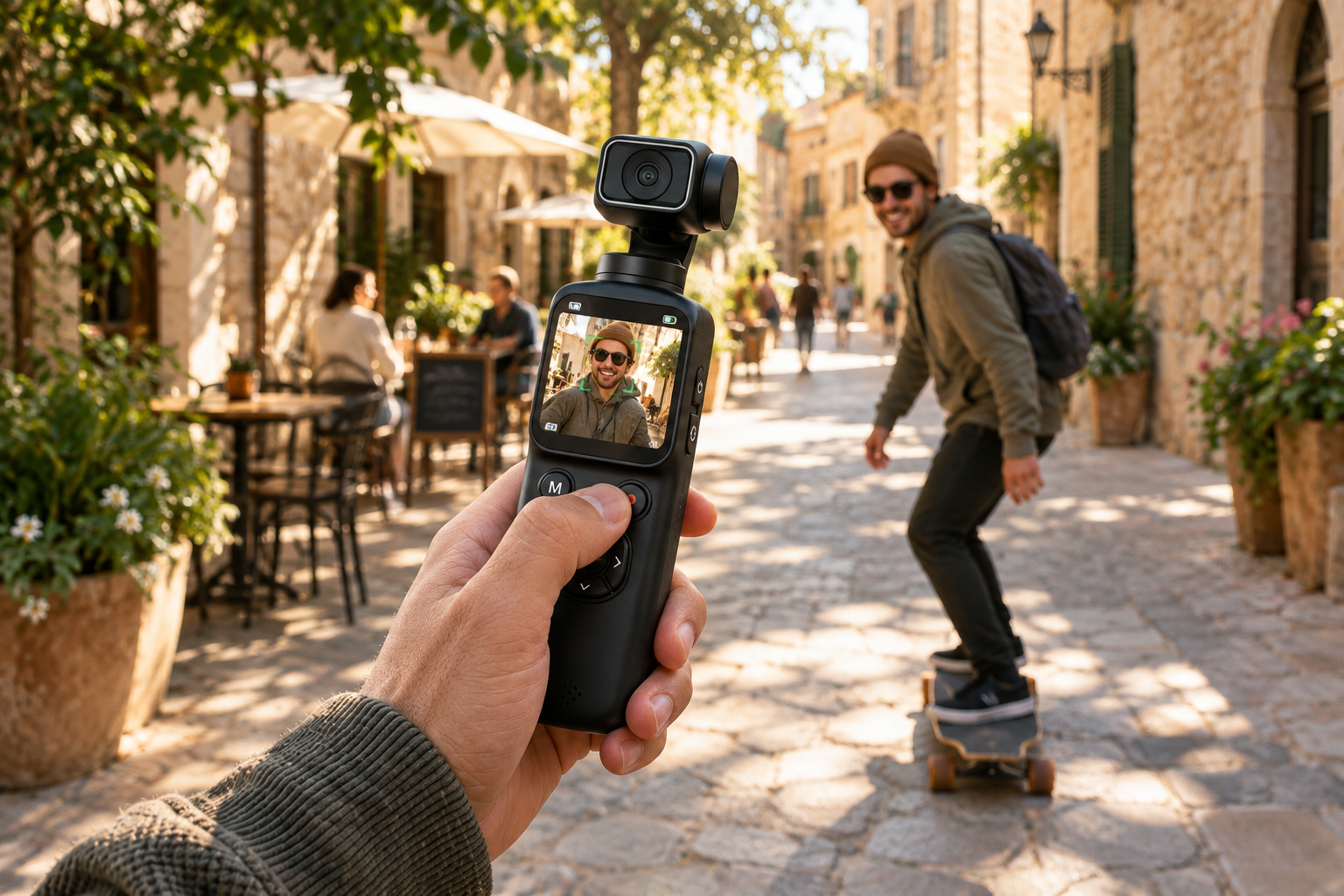
Many of the best summer memories involve people rather than scenery alone: a friend telling a story, a child reacting to the sea, or a travel partner walking ahead toward a viewpoint. The Lenso’s auto 330° face tracking is designed to help keep a face framed while you move, making it a valuable feature for relaxed, people-led travel video.
Start with a clean composition. Put your subject against a background that is recognizably part of the trip—a colourful street, distant water, or a shaded terrace—without filling the frame with distractions. Keep the subject at a comfortable distance and let the fast auto focus settle before you begin walking. Its stated autofocus range is 20cm to infinity, which gives you flexibility between closer travel details and wider scenes.
For a natural tracking shot, hold the camera upright in your right hand at about chest height, with the touchscreen facing you and your thumb on the front record/shutter button. Keep the camera in front of you as the lens points forward toward the person ahead. This creates a steadier follow shot than holding it off to the side, and the screen helps you notice when the subject needs to move back into a cleaner frame.
Move like you are carrying a full camera rig
You do not need complicated equipment to make a portable travel camera look polished; you need repeatable body movement. Begin each walking clip with your elbows comfortably close to your body and take shorter steps than usual. This reduces the bounce that comes from a fast stride and lets the camera’s stabilizing movement do its job more effectively.
Try three reliable moves during a day out. First, the follow shot: walk behind a companion as they approach a landmark. Second, the slow reveal: begin on a foreground detail, then make a gentle turn toward the wider view. Third, the walk-by shot: stay still while your subject moves through the scene. Each one uses motion with a clear purpose instead of motion for its own sake.
Avoid sprinting to catch every moment, sharply twisting your wrist, or changing from landscape details to a person in one fast swing. The Lenso can support smoother rotation, but no compact camera can make chaotic movement look planned. When a scene is lively, shoot several short clips from stable positions. You will have more options than one long, shaky recording.
Choose the right mode for the moment
Summer travel gives you different kinds of movement, and the Lenso’s eight shooting modes let you vary your visual story. Standard photo and video are useful foundations, but modes such as slow motion, time lapse, burst, interval, timer, and loop recording invite you to capture a place in ways a single ordinary clip cannot.
Use slow motion selectively for a moment with readable action: a splash at the edge of a pool, wind catching a light shirt, or a friend jumping over a small wave. Keep the action simple and make sure the subject stays in the frame. For longer changes, time lapse can suit clouds moving across a viewpoint or the shifting activity around an outdoor table. The value comes from contrast—short real-time clips beside a carefully chosen accelerated moment.
For self-recorded travel pieces, the self-timer options can help you step into a shot rather than always filming from behind the camera. The portrait beauty mode and more than 30 filters offer additional creative choices, but use them with restraint. A consistent look across a day’s clips usually feels more cinematic than switching effects every few seconds.
Frame places as stories, not postcards
A beautiful location does not automatically make a compelling video. To turn a view into a story, collect a sequence: a wide clip to establish the place, a medium shot with a person moving through it, and a close detail that suggests atmosphere. With the Lenso’s 16MP CMOS sensor and AF lens, you can alternate between photos and video without carrying a separate device for every small moment.
Look for foreground layers. Film past a railing toward the shoreline, through leaves toward a path, or from a shaded doorway toward a bright square. These simple choices add depth without demanding complicated editing. Use the touchscreen to check that the important element is visible, then give the shot time to breathe before you press record and after you stop.
Light matters most when the sun is strong. In harsh midday conditions, seek shade, place people where their faces are not overwhelmed by direct brightness, and watch the screen before committing to a take. The camera offers exposure compensation from -3.0EV to +3.0EV, so use it thoughtfully when you need to adjust the overall brightness. Small corrections can protect the mood of a scene better than dramatic fixes later.
Make vlogging feel less like work
For a travel vlog, the most watchable clips usually have one job each: introduce where you are, show what is happening, or share a reaction. The Lenso’s face tracking and compact build can make quick pieces to camera less cumbersome, whether you are checking in from a hotel balcony, describing a local stop, or filming a short walk between destinations.
Keep your spoken segments concise. Record a ten- to twenty-second introduction, then gather visual cutaways of the place you are describing. This gives your finished video a natural rhythm and means you do not need to talk continuously while navigating a new destination. The built-in touchscreen is particularly helpful for checking your framing before you begin.
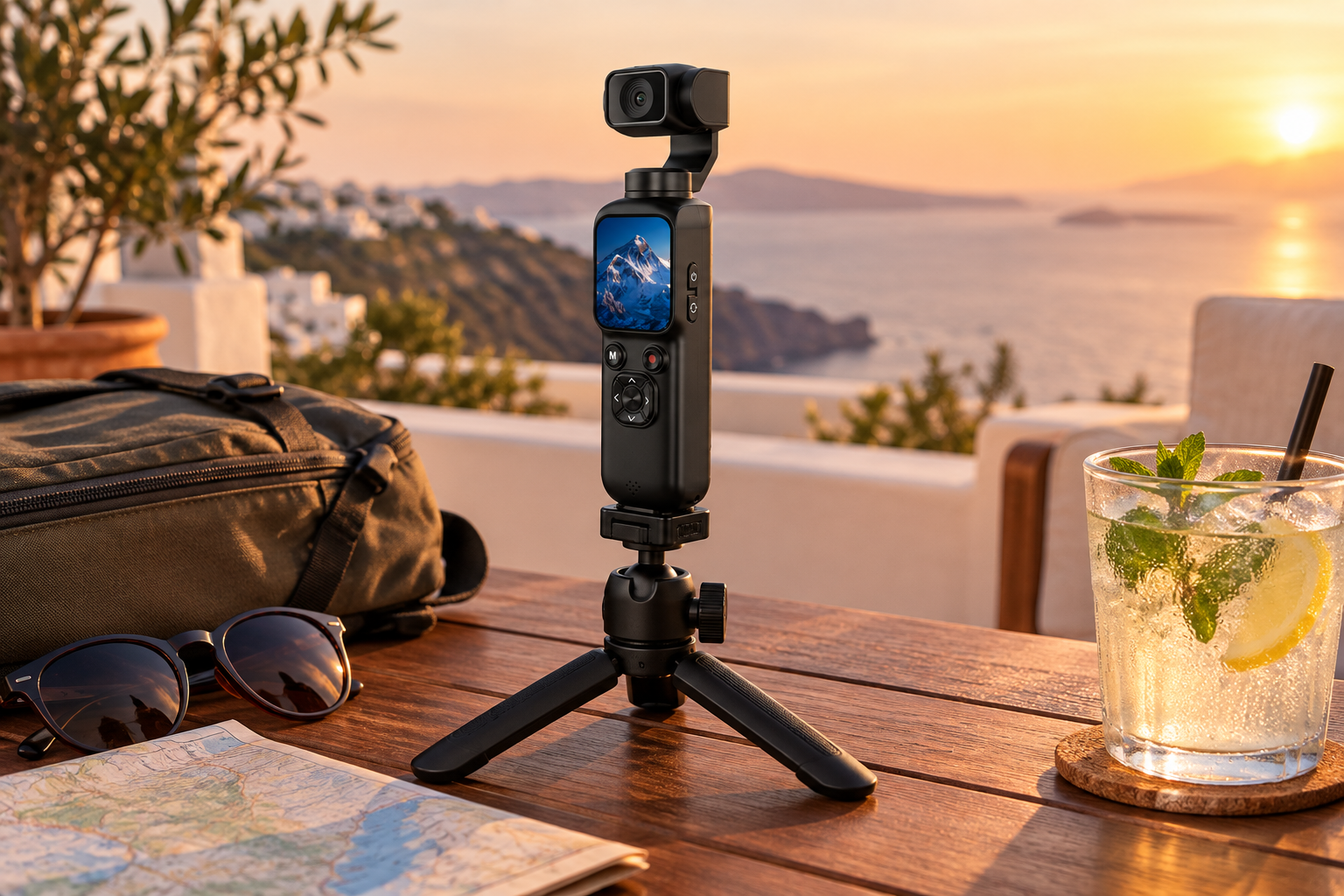
When you want to film from a fixed viewpoint, the camera is tripod mount compatible, although a tripod is not included. A static shot can be a useful reset between moving clips: sit down for a short update, capture people passing through a plaza, or record the first few seconds of a sunset. The Lenso also includes a webcam function, adding flexibility when your travel content continues after the trip.
Control, transfer, and protect your best clips
Good footage is only useful if you can find and share it later. The Lenso supports the HDVCAM app over Wi-Fi for remote control and easy sharing. Use that connectivity when it genuinely helps your setup, such as when the camera is positioned away from you or when you want to move selected clips into your sharing workflow without delay.
At the end of each day, take a few minutes to review what you captured. Keep the clips that clearly show the location, a reaction, or a useful transition, and make note of any sequence you still need tomorrow. This habit avoids a common travel-video problem: hundreds of similar clips with no beginning, middle, or ending. A simple folder per day or destination makes later editing less intimidating.
Finally, protect the camera as carefully as your footage. Its lightweight, portable format makes it easy to bring along, but that also means it can be easy to misplace in the rush between stops. Return it to the same secure spot in your day bag, check the lens area before a major shot, and keep charging and storage in mind. With a steadier shooting style and a clear plan, the Lenso can turn fleeting summer movement into video worth revisiting.