Imagine working from a bustling airport lounge, a serene park bench, or your favorite coffee shop—without sacrificing comfort, productivity, or the efficiency of your office setup. The Powerology TouchVision Pro Portable Smart Touch Display is redefining what it means to have a mobile office, making it easier than ever for digital nomads, freelancers, and business travelers to set up shop anywhere. With its blend of portability, touchscreen intuitiveness, and robust connectivity, the TouchVision Pro is more than just a portable touchscreen monitor: it's your gateway to seamless remote work.
Why Every Mobile Office Needs an Extra Screen
When your work demands versatility, the difference between a cramped laptop display and an expansive dual-screen setup is night and day. The Powerology TouchVision Pro answers this challenge with its vibrant touchscreen, giving you the power to multitask efficiently—from editing documents and spreadsheets to managing video calls—no matter where you are.
For digital nomads and remote workers, the ability to expand your workspace instantly means fewer compromises and smoother workflows. Juggling multiple applications, windows, and creative assets becomes effortless. Whether you're referencing research data, presenting to clients, or keeping your inbox open while writing reports, an extra display can significantly boost your output.
Don't underestimate the impact of a dedicated monitor on posture and comfort, either. Instead of hunching over a single screen, you can position the TouchVision Pro at an ergonomic eye level, reducing fatigue during long work sessions. This small tweak can have a big impact on both productivity and well-being.
TouchVision Pro: Unmatched Portability and Sleek Design
Portability is at the heart of every mobile office setup, and the Powerology TouchVision Pro doesn't disappoint. Its ultra-lightweight and slim profile slides effortlessly into backpacks, briefcases, or even a laptop sleeve. Traveling for a client meeting or switching work spots mid-day? The TouchVision Pro adapts to your rhythm.
The robust yet elegant build is designed to handle life on the road. Whether you're working atop a shaky café table or a hotel desk, the display sits securely thanks to its stable stand and minimal footprint. Every detail, from its sleek casing to its practical size, is optimized for professionals who value both style and mobility.
And because every ounce counts when you're carrying your office, the monitor's thoughtful design makes it friendly for frequent travelers. The white finish stands out in a sea of generic black accessories, making it both a personal statement and a conversation starter.
Easy Setup: From Laptop to Tablet, It Just Works
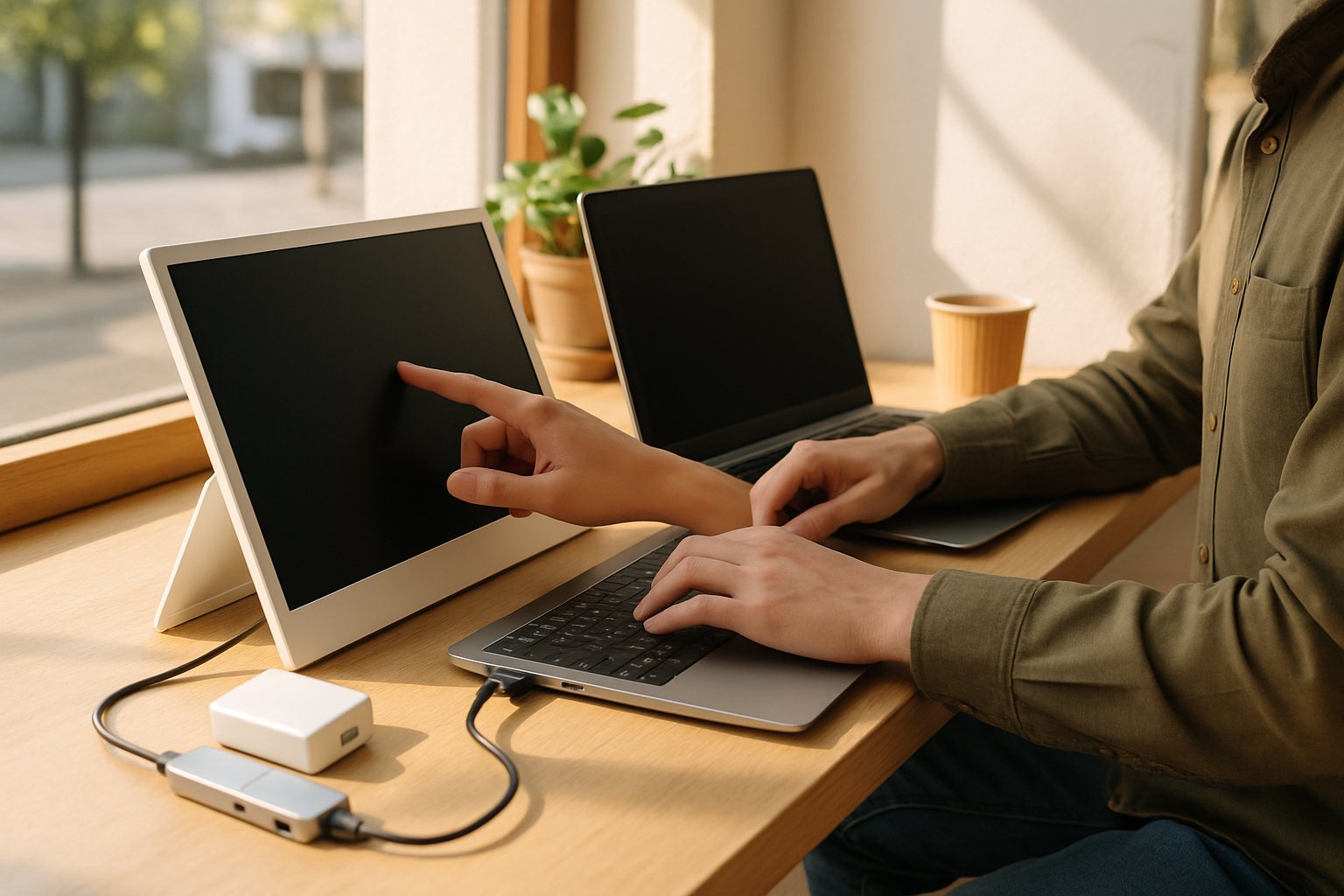
The true brilliance of the Powerology TouchVision Pro lies in its plug-and-play simplicity. You don't need to fumble with complicated drivers or software. Thanks to universal compatibility, the TouchVision Pro connects effortlessly to laptops, tablets, and even smartphones via USB-C or HDMI.
For business travelers or freelancers juggling multiple devices, this is a game changer. Instantly mirror your laptop for enhanced productivity at a client site, or share a presentation directly from your phone during a quick huddle. The portable touchscreen monitor adapts to your technology ecosystem, bridging the gap between devices and streamlining your workflow.
Its intuitive touch interface means you can navigate, sketch, or annotate directly on the screen—perfect for designers, consultants, or anyone who benefits from interactive input. This seamless integration removes tech headaches, letting you focus on what matters: your work.
Touch Controls: Next-Level Interaction for Remote Work
Forget about clunky external devices and endless clicks—the Powerology TouchVision Pro brings the power of touch controls to your mobile office. With swift responsiveness and multi-touch support, you can zoom, scroll, drag, and tap with natural gestures, just as you would on a tablet or smartphone.
This tactile experience is a huge benefit for creative professionals who sketch, annotate, or edit visuals on the go. But even for business users, touch controls make navigation between docs, presentations, and spreadsheets fast and intuitive. No external mouse? No problem; the TouchVision Pro lets you work how you want, wherever you are.
Having a touchscreen also unlocks new possibilities in remote collaboration—think digitally signing PDFs during virtual meetings, brainstorming on whiteboards, or annotating designs live with clients. The level of hands-on interaction elevates both productivity and creativity, helping to keep your mobile office dynamic and flexible.
Efficient Workflow: Multitasking Made Simple
In the world of remote work accessories, versatility is king. The TouchVision Pro is the secret weapon for powering through your daily to-dos, whether you’re cycling between Slack messages, spreadsheets, research tabs, or editing tools.
Split-screen multitasking becomes effortless with a dedicated monitor. Keep your project roadmap open while you code or write, follow a video call on one screen and take notes on the other, or drag-and-drop files seamlessly between windows. This streamlined setup reduces digital clutter and makes context-switching a breeze.
What sets the TouchVision Pro apart is how it keeps your workflow fluid—no more hunting for lost windows or toggling endlessly. With your creative suite on one side and your communication tools on the other, every minute is maximized. The result? Higher efficiency, less stress, and a professional edge wherever your work takes you.
Innovation Meets Connectivity: Powerology’s Accessory Ecosystem
The Powerology TouchVision Pro isn’t just a standalone marvel—it fits into a versatile ecosystem of mobile work solutions. Pair it with Powerology’s premium accessories for a truly integrated setup. For instance, use the Powerology Solution 30W gaN Universal Multi-Port Charger to power your display and devices on the move, or deploy the Powerology Aluminum Mini USB-C Hub to connect mice, keyboards, and USB storage simultaneously.
Frequent fliers can fast-charge in the car with the elegant Powerology Élan 240W Dual USB-C & USB-A Car Charger—ideal for power users who never want to run out of battery while traveling between meetings. And for marathon work sessions outdoors, pair your display with the Powerology Helios Flex 300W Topcon Folding Solar Panel or a high-capacity Powerology Power Bank for true off-grid productivity.
This rich accessory lineup ensures that your mobile office always stays connected, powered, and ready for anything, whether you're at the co-working space or deep in the countryside.
Real-World Scenarios: The TouchVision Pro in Action
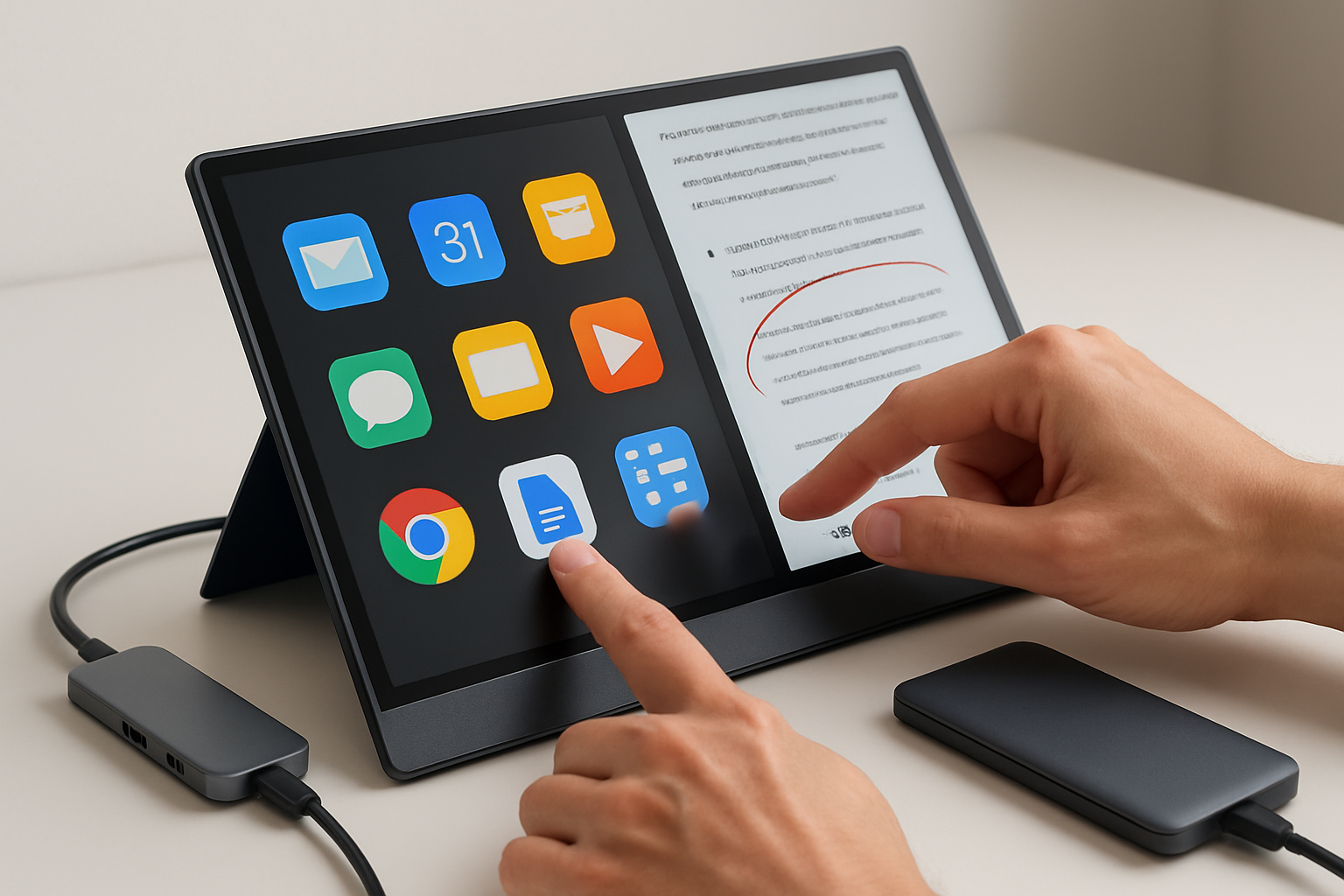
Wondering how the TouchVision Pro fits into a real daily routine? Picture a freelancer setting up at a bustling co-working hub: in minutes, they’re managing emails on their primary laptop screen while referencing graphics edits and spreadsheets on the TouchVision Pro. Creative professionals love the touch interface for quick sketches and rapid prototyping while presenting concepts directly to clients on a separate display.
For business travelers, the portability means setting up in hotel lounges, airport gates, and even taxis—reviewing pitches, running webinars, or simply keeping productivity high in transit. The ability to easily mirror your mobile device to a larger screen is perfect for impromptu presentations or sharing content with groups.
Remote teams benefit from collaborative features—on-screen annotations, note-taking, and quick markups during virtual meetings keep everyone on the same page and make interactions more engaging. Whatever your workflow, the TouchVision Pro adapts to real needs, not just ideal scenarios.
Tips for Building Your Perfect Mobile Office Setup
Ready to build your own fully efficient mobile office setup? Here are expert tips to maximize your Powerology TouchVision Pro experience:
- Keep It Light: Pair only the essentials—your laptop, the TouchVision Pro, and a compact power bank for all-day work.
- Stay Organized: Use a tailored tech organizer or sleeve to avoid cable tangles and protect your display in transit.
- Power Smart: Invest in a multi-port charger and a portable hub to ensure everything stays charged and connected wherever you go.
- Ergonomic Wins: Set your TouchVision Pro at eye level when possible to reduce neck strain during long sessions.
- Protect Your Privacy: Use screen privacy filters or position your display strategically in public to keep sensitive work safe.
A touch of preparation goes a long way. The more optimized your gear, the more freedom—and productivity—you’ll enjoy from your mobile office, no matter your location.
The Future of Remote Work: Why the TouchVision Pro is a Smart Investment
Today’s remote working world demands adaptability and cutting-edge accessories. The Powerology TouchVision Pro Portable Smart Touch Display stands at the intersection of innovation, convenience, and true mobility. It’s the toolkit essential for digital nomads and professionals who want the freedom to work anywhere—without compromise.
With its seamless usability, robust design, and smart ecosystem integration, investing in the TouchVision Pro is investing in your productivity and well-being. Say goodbye to restrictive single-screen setups and welcome a new era of mobile efficiency, creativity, and flexibility—wherever your ambitions take you.