If you're feeling limited by your laptop's dwindling port selection or older connections, the Powerology Aluminum Mini USB-C Hub is your instant upgrade. This sleek accessory acts as a modern lifeline, giving students and remote workers the flexibility and functionality of today’s top devices—without the expense of a brand-new laptop. With the Powerology USB-C hub, you can transform any compatible laptop into a connectivity powerhouse and keep pace with all your work, study, or creative needs.
Why Older Laptops Need Modern Connectivity Solutions
Many older laptops still deliver reliable performance, but their port selection often lags behind current demands. Gone are the days when a couple of USB-A ports and a VGA socket were enough. Today, we connect external monitors, storage devices, USB-C flash drives, and a host of other peripherals—needs that older laptops simply weren’t designed to meet.
This technological mismatch becomes especially challenging for remote workers and students. Whether it's attending online classes, participating in virtual meetings, or transferring large project files, modern workflows demand multiple simultaneous device connections. Losing out on these capabilities can leave your productivity stifled and your routines disrupted.
That’s where accessories like the Powerology Aluminum Mini USB-C Hub step up. They bridge the gap, translating old hardware into the language of today’s tech ecosystem. The right hub will not only add ports to your laptop but can breathe new life into your trusted machine, ensuring it remains a useful tool for years to come.
Meet the Powerology Aluminum Mini USB-C Hub: Compact, Sturdy, and Essential
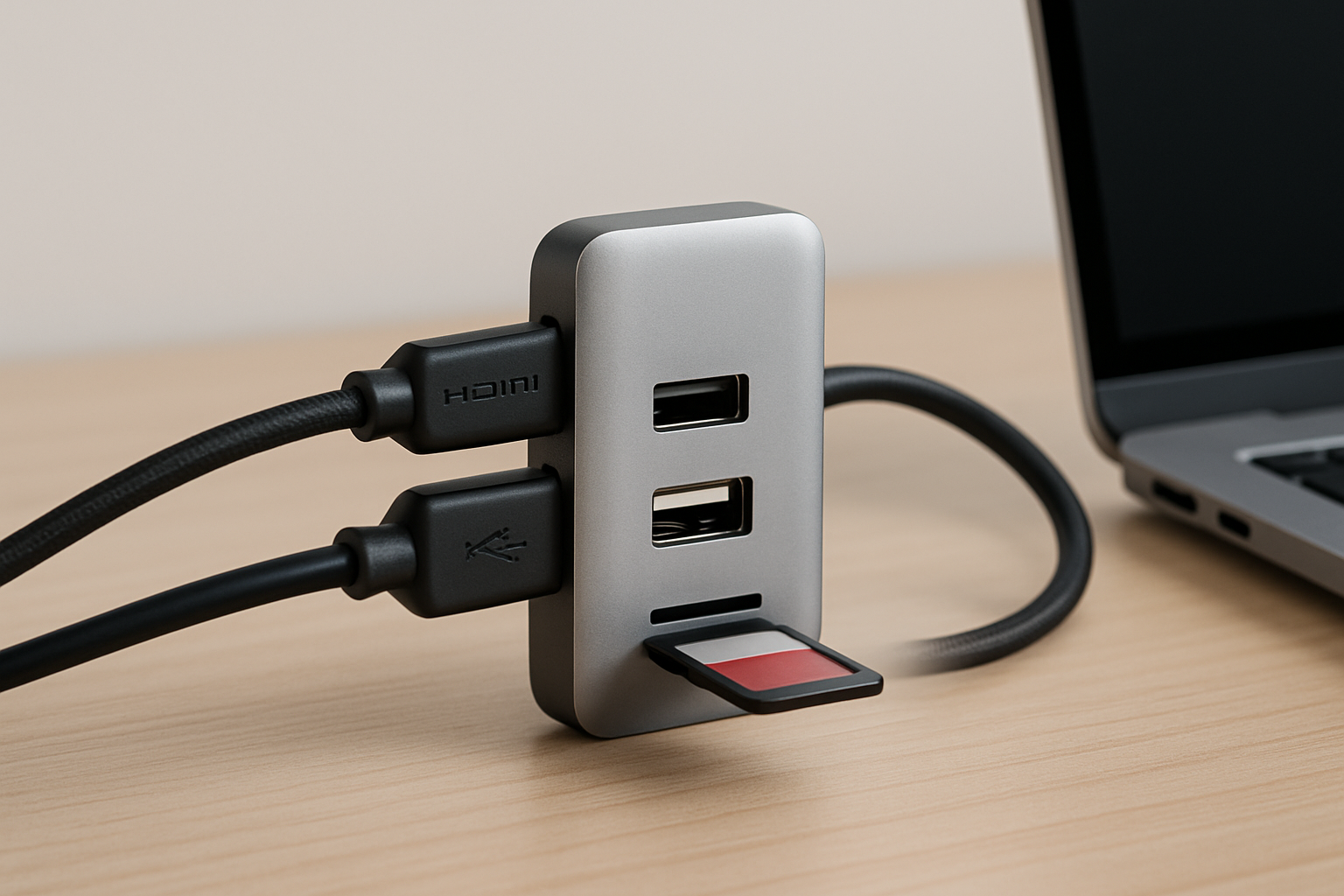
The Powerology Aluminum Mini USB-C Hub is engineered for simplicity and versatility. Crafted with a robust aluminum chassis, its design isn’t just about aesthetics—it’s about durability and portability. The compact form factor makes it easy to slip into any bag or even your pocket, perfect for students moving across campus or remote workers working from cafés or co-working spaces.
Beyond its build, the hub is purpose-driven. It expands a single USB-C port into a suite of modern connections, letting users add essential ports to their laptops almost instantly. Whether you're plugging in an external keyboard, mouse, projector, or additional storage, this hub makes it seamless and tangle-free.
What truly sets it apart in the crowded marketplace is Powerology’s focus on quality and reliability. As laptop connectivity solutions go, the Mini USB-C Hub is a product you can lean on daily—no dropped connections or fussy adapters needed. For those seeking a lightweight but rock-steady bridge between old and new, this hub is essential kit.

How the Powerology USB-C Hub Instantly Upgrades Your Laptop
Adding the Powerology USB-C hub to your setup is like flipping a switch: suddenly, your laptop is equipped to handle the peripherals and workflows that define modern productivity. With a simple plug-and-play setup, you don't need technical know-how—just slot it into your laptop's USB-C port and start connecting.
This hub allows you to supplement older laptops that may be missing today’s crucial ports, such as HDMI for external displays, additional USB ports for flash drives or printers, and even card reader slots for easy photo or video transfer. Instead of juggling adapters or sacrificing a device for another, you have an all-in-one solution that’s always ready for you.
For students, this means you can plug into projectors during presentations, or hook up an external keyboard for comfortable essay-writing sessions. For remote workers, the hub lets you transition seamlessly from home setups to shared office environments, running multiple devices without plugging and unplugging cables every time. The result? Smooth, future-proof workflow with zero hassle.
Port Variety: What Can You Connect with the Powerology Hub?
The Powerology Aluminum Mini USB-C Hub caters to practically every modern need. Depending on your model and requirements, expect to find a thoughtfully curated selection of:
- USB-A ports for legacy peripherals like keyboards, mice, and flash drives
- HDMI output for easy dual-monitor setups or classroom presentations
- USB-C pass-through charging so your laptop can power up even while all the ports are in use
- Memory card slots for transferring files from cameras or mobile devices
This array arms you to tackle everything from file transfers and device charging to full-scale external displays. For media students or content creators, easy access to memory card inputs is a game-changer, drastically speeding up project workflows. Remote professionals can host video conferences on one screen while working uninterrupted on another. The versatility on offer is exactly what makes this hub the go-to USB-C hub for students and remote workers alike.
Never again be held back by your laptop’s limited selection. With the Powerology hub, expanding your workspace is as easy as plug-and-play.
Simple Setup, Maximum Compatibility: Who Can Use the Powerology Hub?
One of the biggest benefits of the Powerology Aluminum Mini USB-C Hub is its universal compatibility. If your laptop or device has a USB-C port, chances are you can take full advantage of this clever hub. This covers a wide range of Windows laptops, certain older MacBooks, Chromebooks, and even select tablets.
Installation couldn’t be easier: just connect it and go. There are no drivers, no complicated software, and no lengthy manuals—simply slot it into your device and the ports light up instantly. This is especially handy for students who switch between university computers and their own laptops, or remote workers hopping between their home and office devices.
The plug-and-play approach also means the hub is a fantastic pick for non-techies or anyone who dislikes fussing with their setup. In classrooms, co-working spaces, coffee shops, or on the go, it’s invaluable to know you have reliable, instant connectivity in your bag at all times. That’s peace of mind for anyone relying on their laptop every day.
Boosting Productivity: Use Cases for Students and Remote Workers
The magic of the Powerology USB-C hub lies in how it adapts to diverse user needs. For students, the hub supports a study lifestyle full of variety: plug in a flash drive to upload research papers, connect to a projector for classroom presentations, or charge your phone while you work—all simultaneously. Long library sessions become more manageable with every essential device connected through one central hub.
Remote workers benefit just as much, particularly those who shift workspaces often. Envision docking your aging laptop at a shared desk, instantly connecting to an external monitor, wired keyboard, backup storage, and even a presentation pointer—all via one hub. Video calls can be run on a large display, files can be transferred without delay, and productivity soars as your workspace remains uncluttered.
For creative professionals and content creators, the hub is equally empowering. Effortlessly shift between video editing on an external screen and offloading raw photo files—all while keeping your primary device charged and connected. Whatever your workflow demands, the Powerology hub adapts in real time, making digital life simpler and more efficient.
Travel-Friendly Design: The Powerology Advantage for Portability
Portability is a critical factor for both students and remote workers. The Powerology Aluminum Mini USB-C Hub is designed to travel light. Its aluminum build ensures resilience against everyday wear and tear, whether you toss it in your backpack, laptop sleeve, or even a pocket.
Its compact size means that even in tightly packed bags, it takes up virtually no extra space. For those who move between classrooms, campuses, co-working spaces, or client offices, the ability to add ports to your laptop wherever you are is invaluable. No more being caught off guard by limited connectivity on the road or at a new desk.
This portability is enhanced by its all-in-one design. You won’t need to carry multiple adapters or worry about losing tiny connectors—the Powerology hub is your whole connectivity kit in one neat package. For anyone with an unpredictable routine, it’s the accessory you’ll wonder how you lived without.
Durability, Reliability, and Everyday Confidence
With technology accessories, reliability is everything. The Powerology Aluminum Mini USB-C Hub uses premium materials—a solid aluminum casing and high-quality connectors—to guarantee long-term reliability, even under daily heavy use.
This attention to build quality means fewer worries about overheating, frayed cables, or ports that loosen over time. You can confidently connect all your essential devices without fear of interruptions or signal loss, a must for students taking exams online or remote workers leading important meetings.
Backed by Powerology's strong reputation in accessories, this hub is designed to hold up for years, not just a few months. It’s a smart investment in making sure your older laptop stays relevant and dependable—a true partner in your academic or professional journey.
Making the Most of Your Powerology Hub: Tips and Best Practices
To get the most from your Powerology USB-C hub, ensure your laptop’s USB-C port supports the features you need, such as video output or charging. For best results, connect heavier-draw devices (like external hard drives) one at a time if you notice any slowdowns, and avoid overloading the hub with multiple power-hungry accessories simultaneously.
Keep your hub clean—dust and lint can affect connectivity over time. The aluminum finish is easy to wipe down, keeping your setup looking smart. And remember: use only high-quality, certified cables and devices with your hub to prevent damage or poor connections.
Finally, if you move between locations, make the hub your constant companion. Store it somewhere accessible in your bag so it’s always on hand when you need that extra port. Over time, building these habits ensures your laptop connectivity solutions always work smoothly, helping you stay ahead in your work or studies.